No phones during the show.
Every phone after the bow.
This page is for the drama teacher, the music teacher and the PTA parent who ends up running the talent show. A school play has a rule that most events do not: no photos or video during the performance, both for the cast and because most licensed shows require it. So the photos are taken at dress rehearsal, backstage, at intermission and at the curtain call, by parents, crew and the cast themselves, and they are scattered across a hundred phones. One QR code puts them in a gallery the school controls.
One-time. No account needed to buy — about a minute.
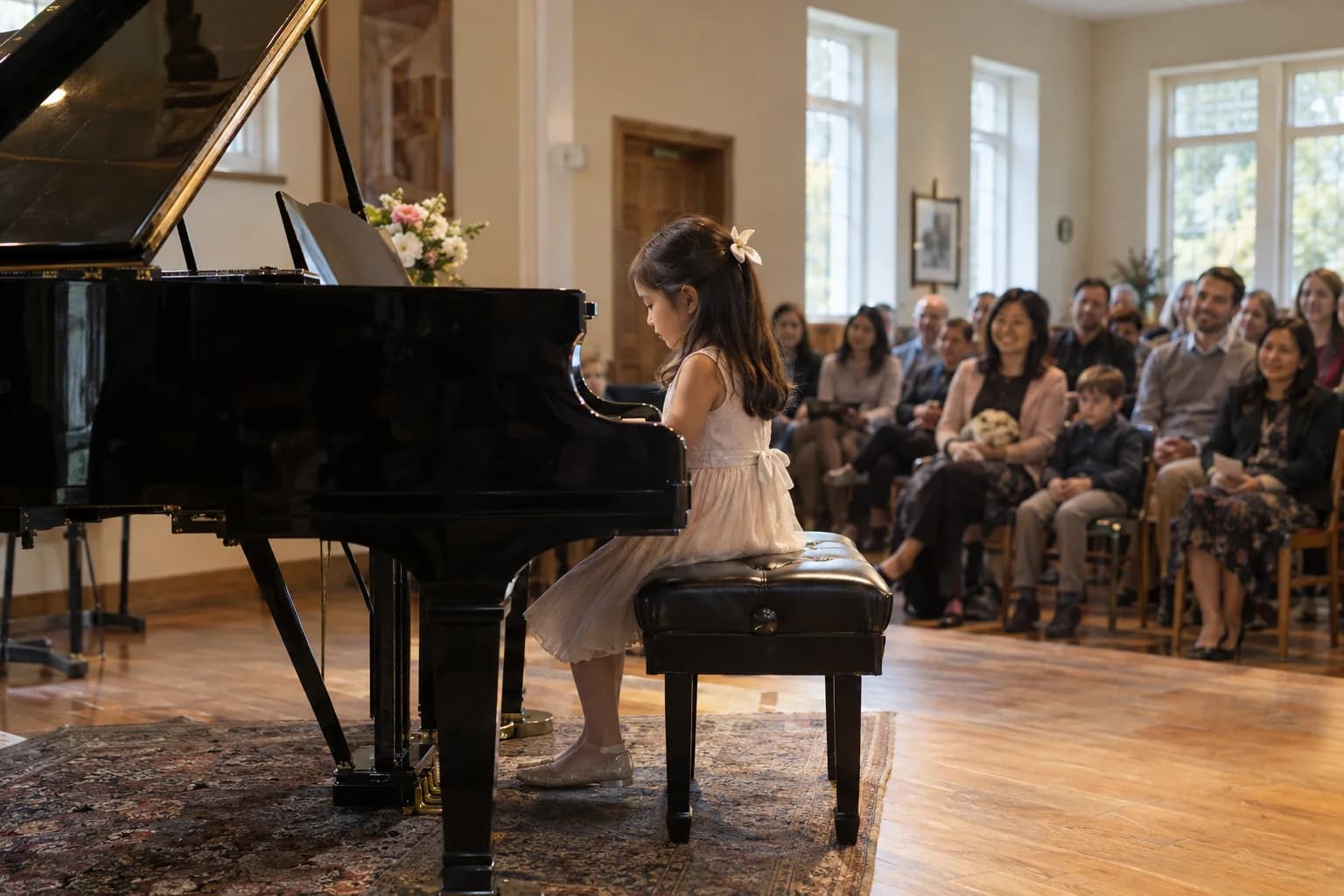
The moments guests actually photograph at school plays
Why school plays work better on Picsui
Written for the person hosting this one, and checked against what the product actually does.
A seat for the grandparents who could not get one
A school auditorium sells out to families in an afternoon. If the show is an original work, a talent show, or your license allows it, Live Stream streams up to 90 minutes with audio on a private link to 100 viewers, so the grandparents and the deployed parent watch from wherever they are.
The drama teacher approves what goes up
Cast members are minors, backstage is half-dressed, and a talent show act that went wrong should not live forever. With host review on, nothing appears until the teacher approves it, and nothing unapproved is ever shown. The cast still gets its gallery, and the teacher still gets the last word.
Break-a-leg messages from far away
Relatives who cannot attend record a video message up to 30 seconds from the same page before opening night. Play them for the cast at the warm-up, then keep them in the gallery beside the curtain call photos, where the students will find them years later when they look back.
No app. No account. One scan.
Guests point their camera at a QR code and are uploading in seconds. Nobody installs anything, nobody creates a login, and the grandparents can do it as easily as the teenagers.
Stream it to the people who couldn't come
A private live stream is included with the Event Pass: stream up to 90 minutes to 100 viewers on a private link, with sound. Keeping the recording afterwards is an optional add-on.
Video messages, recorded on the spot
A 30-second video toast recorded in the browser, no editing, no re-uploading. The guest who would never write in a book will happily talk to a phone.
You approve before anyone sees
Turn on host review and every upload waits in your queue until you approve it. It is optional, it works from your phone, and anything you never approve is never seen by anyone else.
Private by default, never indexed
The gallery is only reachable by the link or code you share. Guest pages are blocked from search engines and named AI crawlers, and you can close the gallery whenever you choose.
Full-resolution downloads
Download any photo, or the whole event as one archive, at original quality. What guests uploaded is what you keep — no compression, no watermark on paid events.
How it works
Set up in a minute. Collect for the whole event.
Create the event for the production, not for one night. Add each performance to the schedule as a sub-event if you have a run of three, and every night's photos land in the same gallery under the same code.
Print the QR code on the program and the backstage call board. Announce it before the show alongside the no-photography rule, so parents know when phones are welcome.
Crew and cast upload from rehearsal and backstage. Parents upload at intermission and the curtain call. The teacher approves the queue from the wings.
Download the originals for the drama club's records and the yearbook, and send families the link with a note about what may be shared publicly.
Try uploading as a guest.
Scan this with your phone the way a guest at your event would. Choose a sample photo and upload it from your browser, then open the demo gallery to see it land. In this public demo, photos appear at once and videos wait for a person to approve them; at your own event, you decide.
- Scan the code with your phone camera — it opens straight in the browser.
- Upload a sample photo. Look for the upload confirmation so you know it reached the host.
Use a sample you are comfortable sharing with Picsui. Please keep personal or sensitive photos out of the demo.
M2FDV8LW
This is the same kind of code your guests scan at your event.
Getting the most from school plays
Say the photo rule and the QR code in the same breath. Most schools announce no photography during the performance and leave it there, so parents either sneak photos or take none. Announce instead that photos are welcome at intermission and the curtain call, that the cast will hold the final bow for a full minute for exactly that reason, and that the code on the program is where they go. You will get a complete set of curtain call photos from the whole audience, and a quiet house during the show. Ask the stage manager to hold the bow long enough, and to tell the cast why.
Check the license before you stream. Most licensed musicals and plays prohibit recording and broadcasting the performance, and the agreement says so plainly. A talent show, an original piece, a devised play or a curtain call is usually fine, and a licensed show may allow it for a fee; ask the licensing house. Where streaming is allowed, Live Stream on a private link is a way to seat the grandparents and the parent who is traveling. Where it is not, stream the pre-show, the cast warm-up or the curtain speech instead. The gallery of rehearsal and backstage photos is not affected either way.
The dress rehearsal is the best photo call of the run and usually nobody is there but the teacher. Invite two or three parents with steady hands, give them the code and the run of the house, and let them shoot from the aisle with no audience to disturb. Those photos look like the show, in costume and under the lights, and they are the ones the yearbook will use. Add the backstage photos from the crew and the cast's own selfies, and by opening night the gallery is already full before a single parent has taken a photo.
Common questions about school plays
Can we stream the school play to families who could not get tickets?
Only if the show's license allows it. Most licensed musicals and plays prohibit recording and broadcasting, and streaming a performance without permission puts the school's license at risk. Talent shows, original pieces and student-written work are yours to stream, and some licensing houses sell a streaming rider. Where it is allowed, Live Stream is included with the Event Pass and streams up to 90 minutes with audio on a private link to 100 viewers, and families watch in a browser with no app. Where it is not, the gallery still gives them every photo from the run.
Parents are not allowed to take photos during the show. When do they upload?
At intermission and after the curtain call, which is when the rule lifts. Announce that plainly before the show starts and hold the final bow long enough for the whole audience to photograph it. Everything else in the gallery comes from the times when phones are fine: dress rehearsal, the set build, backstage before places, the lobby, and the cast party. Crew and cast upload those over the whole run, so by closing night most of the gallery was never taken during a performance at all.
Can the teacher approve photos before students and parents see them?
Yes. Turn on host review when you create the event and every upload waits in the teacher's queue. Nothing is visible to anyone until it is approved, approving works from a phone, and the queue is a few minutes' work from the wings between scenes or at the cast party. Backstage photos of students in costume changes, and any student whose family has not given photo consent, are removed before they are ever seen. A student or parent can also ask for a photo to come down later.
The cast are minors. Is the gallery private?
The gallery is private by default. It is reachable only by the link or code the school shares, it is never listed publicly, and guest pages are blocked from search engines and named AI crawlers. Share the link with cast families and the audience rather than on a public page, and remind families that what they download is for their own use. Combined with host review, the teacher decides exactly what is in the gallery, and it can be closed to new uploads once the run ends. It stays online for 365 days on an Event Pass.
What does it cost for a three-night run?
An Event Pass is $39 one time and covers the whole production: rehearsal, backstage and every performance under one code, with each night on the schedule as a sub-event if you like. It includes unlimited uploads with a 25 GB fair-use bound, video messages, host review, full-resolution downloads and 365 days of hosting. Live Stream is included with the Event Pass, for a show you are licensed to stream. There is no subscription and no per-guest fee.
Every photo from school plays, in one place
One-time Event Pass, $39. No subscription, no per-guest fee.
Also planning one of these?
Explore other use cases
One QR code, every kind of event. See how Picsui fits yours.
More occasions