Set up in a couple of minutes
Create a QR Code for Wedding Pictures in 60 Seconds
One QR code is all it takes. Guests scan with their phone, upload their photos and videos, and everything appears within moments in your shared wedding gallery. No app downloads, no sign-ups, no hassle.
Collect the photos your guests already took
Free to try · 30-day unused-event money-back guarantee
Quick answer
A QR code for wedding pictures is a scannable code that opens a private upload page in a guest's phone browser — they tap, pick photos or record a video, and upload in under 30 seconds, with no app and no account. Place the QR on invitations, table cards, a welcome sign and near the bar: a guest uploads while the code is in front of them, so more placements means more chances, and one code on one table means one chance.
Your Guests Are Taking Photos — Give Them Somewhere to Share
The average wedding guest takes 20–50 photos on their phone. Without an easy way to collect them, most of those candid moments stay locked on individual devices forever. Group chats get messy, shared albums get ignored, and AirDrop only works if you're standing next to each other.
A QR code for wedding pictures solves this instantly. Print it, display it, and every guest, from your tech-savvy cousin to your grandparents, can scan and upload in seconds. Picsui takes the work out of it.
How to Create Your Wedding QR Code
Three simple steps — no technical skills needed
Sign Up & Create Your Event
Create a free Picsui account and name your wedding event. Your unique QR code is generated automatically — ready to download in PNG format at any print resolution.
Print & Display Your QR Code
Download your QR code and print it on table cards, add it to your welcome sign, slip it into ceremony programs, or frame it near the photo booth. Place it anywhere guests will see it.
Guests Scan & Upload
Guests point their phone camera at the QR code to open your upload page. They choose photos or take new ones — no app download, no account needed. Photos appear within moments in your gallery.
Where to Display Your Wedding QR Code
The more places you put it, the more photos you'll collect. Here are the spots that work best.
Table Cards & Centerpieces
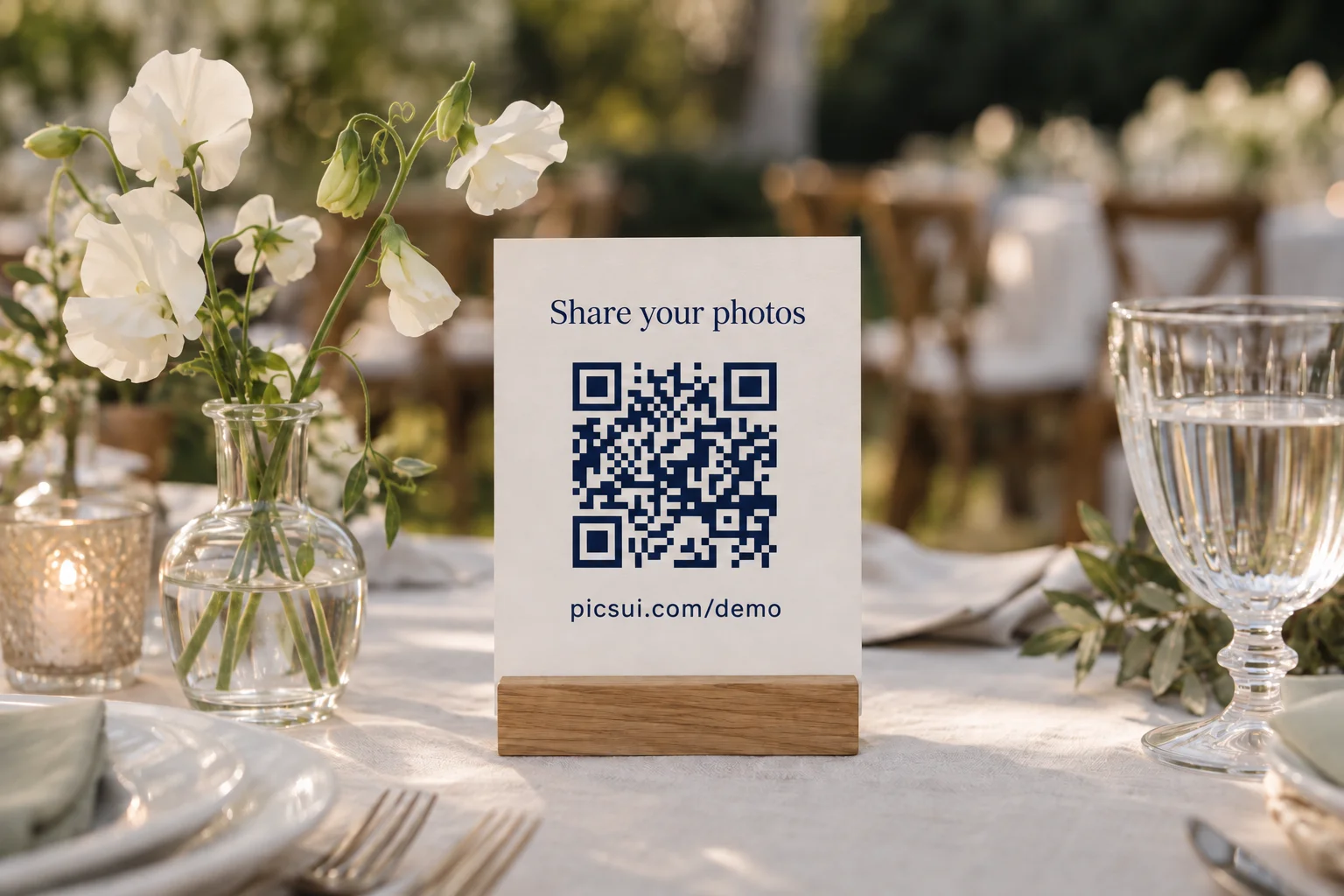
Print your QR code on small cards placed at each reception table. Guests notice it while they are sitting and chatting with their phones already out. This is the single highest-converting placement for most weddings.
Welcome Sign or Gift Table
A framed QR code on your welcome sign or gift table catches every guest as they arrive. Include a short line like "Scan to share your photos with us" so the purpose is immediately clear.
Ceremony Programs & Menus
Add the QR code to your printed programs or dinner menus. Guests browse these during quieter moments, the ceremony prelude or between courses, and can scan right from their seat.
Photo Booth & Bar Area
Place a sign near the photo booth or bar where guests are already in a fun, social mood. These high-traffic spots generate some of the best candid uploads of the night.
What Else the QR Code Does
Picsui gives you a complete wedding photo and video collection experience, powered by one simple scan.
Instant QR Code Generation
Your custom QR code is created the moment you set up your event. Download it as a high-res PNG ready for print at any size — table cards, posters, or banners.
No App Required
Guests scan and upload directly in their phone's browser. No app store visit, no account creation — it works in the browser on current iPhone and Android devices.
Real-Time Gallery
Photos appear in your wedding gallery the instant they're uploaded. Watch your collection grow live throughout the ceremony and reception.
Photo Approval
Switch on approval and every upload waits for you before it reaches the gallery. Remove any photo at any time.
Live Slideshow Mode
Display guest photos on any screen at your venue. New uploads rotate automatically, turning your reception into an interactive photo experience.
Bulk Download
Download every guest photo in original resolution as a single ZIP file after your wedding. No compression, no quality loss — every pixel preserved.
Private & Secure
Your wedding photos are private by default. Only people with your QR code or direct link can view and upload to your gallery.
Guest Email Collection
Optionally collect guest emails during upload to build your list for thank-you notes, photo links, and future updates.
Audio Guestbook
Guests can record short voice messages alongside their photo uploads. Capture heartfelt toasts, well-wishes, and laughter in their own words.
Unlimited uploads per event
A paid pass takes unlimited guest photos and videos, with a fair-use allowance of 25 GB of media per event. Whether you have 20 guests or 500, there's room for every photo in your gallery.
Where to Put Your QR Code: 7 Placements, Ranked
Couples who use More placements, more chances to be scanned than a single spot. Use several of these:
| Placement | Why it works |
|---|---|
| 1. Reception table cards / centerpieces | Guests are seated with a free moment: the single highest-converting spot of the night. |
| 2. Welcome sign at the entrance | Sets the expectation early; guests scan before the day even starts. |
| 3. Near the bar | High-traffic, social, fun mood — generates the best candids. |
| 4. On the menu or program | In everyone's hands during dinner, with nothing else to do. |
| 5. Invitations / save-the-dates | Lets guests upload pre-wedding event photos too (rehearsal, welcome party). |
| 6. By the photo booth or dessert table | Catches guests already in a photo-taking mindset. |
| 7. In a thank-you text the next morning | Guests keep uploading the morning after, once they are home and scrolling. Do not skip this one. |
What Actually Changes How Many Photos You Get
We are not going to invent an average for you. What we can tell you is what makes the difference, because all three are things you control on the day.
How many places the code is
A guest uploads while the code is in front of them, not later from memory. One code on one table is one chance. Table cards, a welcome sign, the bar and a next-morning message are four.
Whether anyone says it out loud
A single line from whoever is holding the microphone does more than any sign. There are scripts for it further down this page.
Whether guests can see it working
A reception slideshow shows a guest their photo landed. A silent upload page never tells them anything happened, so they stop after one.
What to Tell Your DJ or MC
One announcement during dinner can double your uploads. Hand your DJ a script like this:
“Quick favor from the couple — see the QR code on your table? Scan it with your phone camera and upload your photos and videos from tonight. No app, no sign-up — and watch the screen, because your shots show up live during the party!”
Repeat it once more before the last dance to catch the after-dinner photos.
Pre-Wedding QR Code Checklist
- Create your gallery and download the QR code
- Order printed signs / table cards (test-scan them first)
- Add the QR to invitations or a pre-wedding email
- Brief your DJ/MC with the announcement script
- Turn on the live slideshow for the reception screen
- Schedule a thank-you text for the morning after
- Bulk-download everything as a ZIP after the event
Frequently Asked Questions About Wedding QR Codes
How do I make a QR code for wedding pictures?
Sign up at Picsui, create a wedding event, and your QR code is generated automatically in under 60 seconds. Download it as a high-resolution PNG that you can print at any size. You can place it on table cards, welcome signs, programs, or anywhere guests will see it. No design skills or technical knowledge required.
Where should I put the QR code at my wedding?
The most effective placements are: table cards or centerpieces at each reception table, a framed sign at the welcome or gift table, inside ceremony programs or menus, near the photo booth area, and at the bar or drink station. The more places you display it, the more photos you'll collect. Many couples also include it on their wedding website or in a pre-wedding email to guests.
Do guests need to download an app to use the wedding QR code?
No. Guests simply scan the QR code with their smartphone camera — no app download, no account creation, no sign-up. The QR code opens a mobile-friendly upload page in their browser. They select photos from their gallery or take new ones, and the images appear instantly in your shared wedding gallery. It works on every iPhone and Android device.
What happens to the photos after guests upload them?
All uploaded photos appear in your private Picsui gallery in real time. You can view them during the event, display them on a live photo slideshow, and download every original afterward. The Event Pass keeps the gallery available for 12 months.
How many photos can guests upload through the wedding QR code?
Picsui's Event Pass includes unlimited guest photo and video uploads for one wedding (no subscription, $39 one-time). No guest is capped, and there is no upload count to run out of — the only bound is storage. Fair use: 25 GB of media per event. Photographers and planners can apply for Partner pricing at $19 per event or five Event credits for $79.
Learn More About Picsui
Explore how Picsui helps couples capture every moment of their wedding day.
Wedding Photo Sharing
See how couples collect every guest's photos with one QR code, real-time gallery, and live slideshow.
Learn moreSame-Day Wedding Slideshow
Display guest photos on venue screens in real-time as they upload throughout the reception.
Learn morePrivate Wedding Livestream
Securely stream your ceremony to remote family and friends who cannot attend in person.
Learn moreCollect Photos from Guests
The modern way to gather every candid moment your guests capture on their phones.
Learn morePicsui vs Kululu
Compare features, pricing and how easy each is to use, Picsui against Kululu for wedding photo collection.
Learn morePricing Plans
Find the right plan for your wedding — from intimate gatherings to grand celebrations with 500+ guests.
Learn moreTry uploading as a guest.
Scan this with your phone the way a guest at your event would. Choose a sample photo and upload it from your browser, then open the demo gallery to see it land. In this public demo, photos appear at once and videos wait for a person to approve them; at your own event, you decide.
- Scan the code with your phone camera — it opens straight in the browser.
- Upload a sample photo. Look for the upload confirmation so you know it reached the host.
Use a sample you are comfortable sharing with Picsui. Please keep personal or sensitive photos out of the demo.
M2FDV8LW
This is the same kind of code your guests scan at your event.
Every Guest Has a Camera. Give Them a QR Code.
Create your wedding QR code in a couple of minutes and start collecting every guest's photos and videos. The moments they capture are the ones your photographer missed.
Free to try · 30-day unused-event money-back guarantee
Just need it for one event? Get the Event Pass — $39 one-time, no subscription needed.