247 photos still on guests' phones
Guests take hundreds of photos that never get shared.
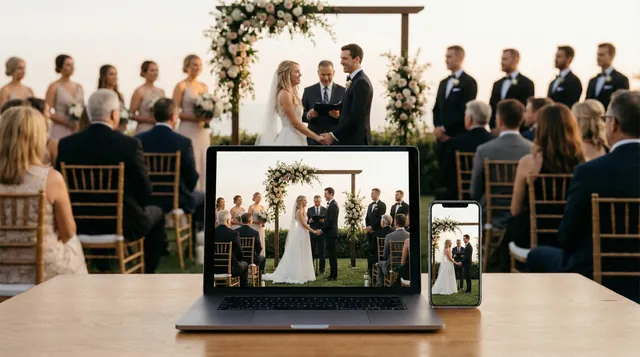
Photos and videos stay buried in camera rolls. The best candid moments never make it to the host.
See the Same-Day SlideshowGuests scan and upload photos, short videos, voice notes, and messages—no app or account. Approve what appears on your live wedding slideshow, then download everything in original quality.
On your guests' phones
Scan, pick photos, done — in about ten seconds, with no app to install and no account to create. Here is the whole experience, screen by screen.
The Reception
Scan to share your photos — no app needed
Point your camera at the code on your table
1. Guests scan the code on the table
Want to feel it yourself? Try the live demo — it's the real thing, and the Event Pass is $29 one-time.
Choose your path
Hosts start free and pay once for the event that matters. Professionals pay per client event, never monthly. Every price and limit is shown before checkout.
01
Scan
02
Upload
03
Display
Couples & hosts
Run your first event on Free Preview to see it work, then pay $29 once for the day that matters — photos, short videos, voice notes, and a live slideshow, with no app for your guests.
Choose Event PassPhotographers & planners
Launch client QR galleries, collect guest leads, moderate uploads, and deliver more angles without changing your shooting workflow. No monthly fee — you pay per client event.
See Partner pricingEvent teams
Capture names and emails with uploads, keep a live photo wall moving, and export audience data after conferences, launches, and brand events.
See lead captureFrom click to keepsake
Create the event before doors open, let guests contribute in seconds, and leave with a finished gallery you can share, download, and follow up from.
Launch a galleryCreate the gallery, pick your branding, and download a print-ready QR code.
Uploads open in the browser, so guests can add photos, videos, and messages fast.
Approve uploads, run a reception slideshow, and keep the room engaged.
Export every file, share the gallery, and use captured contacts for thank-yous.
What you get
Collect every guest's photos on a live slideshow, capture their voices in a digital guestbook, and stream the day to everyone who couldn't make it — all from a single scan.


Turn every guest into part of the story.
Guests scan your QR code, upload photos and videos from their phone, and see selected moments appear in a live gallery and slideshow — all during the event.
Explore SlideshowAunt Rosa
Voice message
May your love grow deeper every single day…
Capture the voices, not just the signatures.
Guests leave voice messages, video toasts, and written notes from the same QR code — then relive them all in a Guestbook Replay. No paper book, no phone rental.
Explore Guestbook
Include the people who can't be there.
Share one private link and stream your event live to guests anywhere in the world. It is a standalone $39 one-time product—no Event Pass or photo gallery required. Replay is not currently included or guaranteed.
Explore BroadcastSame Day Slideshow
Guests scan and upload photos or videos from their phone — no app, no sign-up. Your gallery and slideshow fill in real time.
Display Your QR Code
Print it, project it, or share a link. Guests find it at your event.
Guests Scan & Upload
They scan the QR code and upload photos and videos from their browser. No app needed.
Select & Approve
Review uploads and choose which photos appear in the gallery and slideshow.
Run a Live Slideshow
Cast the slideshow to any screen. Photos cycle automatically as they arrive.
247 photos · 89 guests
247
Photos
89
Guests
4h 12m
Duration


Picsui
Upload Photos


New photo uploaded
Guest #47 · just now
Why guests actually use it
Picsui turns the QR code into a repeatable flow: capture the content, protect the public display, keep the room engaged, and make the follow-up useful.
Guest capture
No appA camera scan opens the upload page instantly, so guests can add photos, clips, and voice notes while they are still excited.
Reception display
LiveApproved uploads roll into a live gallery that can run on a TV, projector, booth screen, or lobby display without babysitting.
Who it's for
Your photographer can't be everywhere. Guests capture the emotion between the posed moments.
Lead capture built in
Every scan is a lead. Every upload, a connection.
Capture guest emails and names with every photo upload. Seven curated QR sign styles are included.
Digital Guestbook
A paper book gets a name and a smiley face. The same QR code your guests already scanned lets them leave a voice message, a video toast, or a written note — then you relive every one of them in a Guestbook Replay. No paper book, no phone rental.
Guests scan the QR
The same code on your table cards — no app, no account, no download.
They leave a message
A 60-second voice message, a video toast, or a written note — their choice.
You approve
Optional moderation keeps it warm and family-friendly before anything goes live.
Relive the Replay
Every message plays back as one shareable memory reel — yours to keep forever.
Aunt Rosa
Voice message
May your love grow deeper every single day…
Voice messages
The catch in Grandpa's voice. The laugh mid-toast. Things a signature can never hold.
Video toasts
Guests who freeze at a microphone say it easily to a phone camera — on their own terms.
Written notes
For the quiet ones. Typed with a guided prompt so no one stares at a blank page.
Live Broadcast
Broadcast your wedding, conference, or event to remote guests. One link. Any device. No app needed. Live Broadcast is a standalone $39 one-time product; no Event Pass or photo plan is required. The live photo slideshow is separate.
Create Your Event
Set up your event on Picsui and enable Live Broadcast from the dashboard.
Share the Link
Send the viewer link to remote guests — they'll open it in any browser.
Go Live
Click 'Go Live' on event day. Stream from your phone, laptop, or OBS.
Guests Watch Live
Remote guests experience the event in real time — no downloads, no accounts.
Browser-Based Streaming
Go live from your browser — no software to install. Just click and stream.
OBS/RTMP Support
Professionals can use OBS or any RTMP encoder for a polished broadcast.
Watch From Anywhere
Guests open a single link on any device. No downloads, no sign-up.
Built for
Important people miss events for distance, health, or travel. A livestream keeps them part of the moment.
Up to 90 minutes and 100 concurrent viewers. Replay is not currently included or guaranteed.
Launch pricing through September 30
Most wedding QR photo apps charge around $49 for one wedding. Picsui's Event Pass plan is $29 — about 41% less — and it also collects voice notes, video messages, and written wishes, with a live slideshow and original-quality downloads.
Competitor prices are the vendors' publicly listed standard-tier prices at time of research; see the full comparison for limits, refund terms, and what each includes.
Scan this with your phone the way a guest at your event would. Upload a photo, then watch it appear in the shared gallery within seconds — no app to install, nothing to sign up for.
It's a shared demo gallery, so please keep uploads work-appropriate. Demo uploads are cleared regularly.
M2FDV8LW
This is the same kind of code your guests scan at your event.
Why now
Picsui is brand new. We're not going to fake download numbers or invent testimonials. Here's what we will tell you:
Pricing you can read in one line
$0 to run a real event, $29 once for the one that matters. No trial that quietly converts, no subscription, no automatic renewal.
Direct access
Tell us what's missing. Early users shape the roadmap. You talk to us, not a chatbot.
Built by photographers
Made by photographers, for photographers. Photos and video are the product, not an afterthought. Every feature is designed around visual content.
The gap Picsui closes
The photos guests forget to send, and the people who cannot be in the room. Picsui brings both back into the event.


247 photos still on guests' phones
Photos and videos stay buried in camera rolls. The best candid moments never make it to the host.
See the Same-Day Slideshow
Distance, health, or travel keeps people from the moments that matter most.
See the Private Live BroadcastUse cases

Weddings
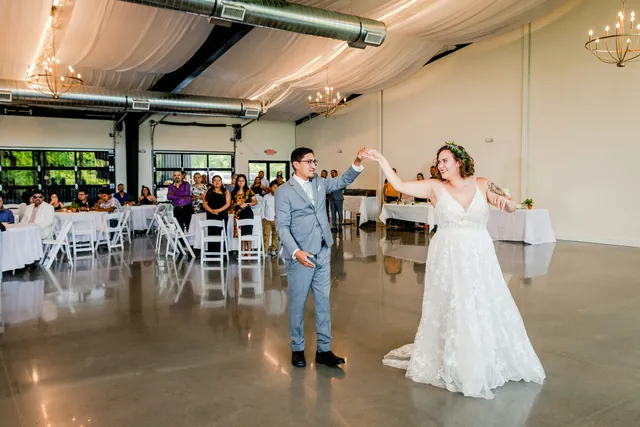
Every guest becomes a photographer. Capture every angle of your big day.

Corporate
Conferences, launches, team events. Engage attendees and include remote viewers.

Celebrations
Birthdays, anniversaries, galas. Every celebration deserves great photos.

Photographers
Deliver client galleries instantly. Capture more angles, deliver more value.
Pricing
No subscription for hosts. No monthly fee for professionals.
Choose what your event needs
Free Preview
$0
Prove the whole guest experience before you pay.
Event Pass
$29
one-time
Capture every guest memory from one event.
Picsui Complete
$49
one-time
Photos, messages, slideshow, and live video together.
Live Pass
$39
one-time
Broadcast one private event to people who cannot attend.
Run events professionally
Partner
$19/event
or five Event credits for $79
For photographers, DJs, planners, and venues.
Corporate
From $299
per event
A supported, branded pilot for organisations.
30-day unused-event money-back guarantee
Compare every limit on the pricing page →Event industry resources
Picsui is built for the professionals and platforms shaping the events industry.
Guests scan the event QR code with their phone camera. It opens a browser page where they can upload photos and videos instantly — no app download, no account creation. Uploads appear in your gallery in real time.
Yes. Picsui's Live Broadcast feature lets you stream your wedding, ceremony, or reception to remote guests via a single private link. Viewers watch in their browser — no app, no sign-up. It is a standalone $39 one-time product; no Event Pass or photo plan is required. It is not part of the Event Pass or any legacy pass unless the receipt says Live.
Yes. Lead capture is built into the photo upload flow. When guests scan your QR code and upload photos, they can enter their name and email. Every scan becomes a lead for follow-up marketing or thank-you notes.
A same-day slideshow displays guest-uploaded photos on any screen during your event in real time. As guests scan the QR code and upload from their phones, selected photos automatically appear in a cycling slideshow — perfect for reception screens, projectors, or lobby displays.
Create an event, get a unique QR code, and share it with your guests. They scan the code and upload photos and videos instantly in their browser (no app). You can watch uploads appear in real-time, approve what shows up, and download everything when you're done.
Same Day Slideshow is included: it displays guest-uploaded photos on a venue screen. Live Broadcast is separate live video for remote guests and costs $39 one-time. Similar names, different products and charges.
No. Guests and viewers use their browser. They scan, upload, or watch without installing anything.
Free Preview includes 25 uploads so you can test the QR, gallery, slideshow, guestbook, and downloads before buying. A $29 Event Pass includes 2,000 uploads and every original for one real event. Vendors running events regularly can apply for Partner pricing at $19 an event, or five for $79.
Just a phone, laptop, or tablet with a camera and browser. For a more polished setup, you can use OBS or any RTMP encoder. No special hardware required.
Use Free Preview to test the complete flow, then buy the $29 Event Pass for the wedding itself. Choose Picsui Complete for $49 if remote guests also need a private Live Broadcast. Both are one-time purchases with no renewal.
Yes — the Event Pass plan is $29 one-time and works for any single event, wedding or not. Voice messages and written guestbook, Live photo slideshow, AI moderation, Every original at full resolution, Bulk ZIP download. Limits: 12-month gallery, No watermark, Live video broadcast not included. Designed for corporate parties, birthdays, and other single-event hosts. There is no subscription and nothing renews.
Live Pass is a standalone $39 one-time product. No Event Pass, photo gallery, or subscription is required. Each broadcast supports up to 90 minutes and 100 concurrent viewers. Picsui Complete combines Event Pass and Live Pass for $49. Replay is not currently included or guaranteed.
AI moderation automatically scans uploaded photos and flags inappropriate or off-topic content before it appears in your gallery. It keeps your event clean without manual review of every image.
Yes, on any paid event. Add your logo and brand colours so the page guests land on looks like your event rather than a third-party tool, and remove the "Powered by Picsui" badge. For couples that means your names and the date on the gallery.
From your event dashboard, click Bulk Download to export all photos as a ZIP file. You can choose original, high, or medium quality.
Yes. Free covers a real event end to end: your own QR code, guest uploads, and a live gallery, with no card required. Uploads and full-resolution downloads are capped and the gallery is watermarked, so most people try it on a shower or a rehearsal dinner before paying for the main event. Every paid purchase also has a 30-day unused-event money-back guarantee.
You can cancel anytime from your account settings. No contracts, no cancellation fees.
Yes. The guest upload experience is available in English, Spanish, and French — guests see it in their own language automatically, based on their browser settings. You can also link guests straight to a language by adding ?lang=es or ?lang=fr to your event link.
Guests can record short voice messages (up to 60 seconds) alongside their photos and videos. These audio messages appear in your event gallery and can be downloaded with all your other media.
Still have questions? Contact our support team
Tips, guides, and insights to help you capture every moment.
Attendees are holding better cameras than your one hired photographer, and they're standing where the photographer isn't. Here's how to turn a room full of phones into your best content source.
Read moreYou can have the best photo-sharing setup in the world and still collect nothing if guests never scan the code. Here's where to put it, what to write on it, and when to prompt.
Read moreA calm, practical guide to streaming a funeral or memorial for the people who can't be in the room — what to set up, where to stand, and how to keep it dignified.
Read moreEvery guest photo, voice note, and message for one wedding — $29 once. Start on Free Preview and see it work first. Set up in under a minute.
Your guests never need an app — that isn't changing. This one is for you: the control panel for an event that's already running, in your pocket instead of on a laptop.
One email, the day it lands on the App Store. Nothing else.