The graduate is the one person
who cannot take a photo.
Everyone in the hall gets one picture of a distant figure in a gown. One QR code pools them into a single gallery at full resolution, a private link lets the relatives without tickets watch it live, and the graduate leaves with the whole day.
$39 once for the gallery and the private stream · No subscription
What actually goes wrong on graduation day
It is not a party with a cake. It is a ticketed event in a large room, followed by a different event with a different guest list, and the person it is for is holding neither a phone nor the invitations.
The guest of honour has no camera
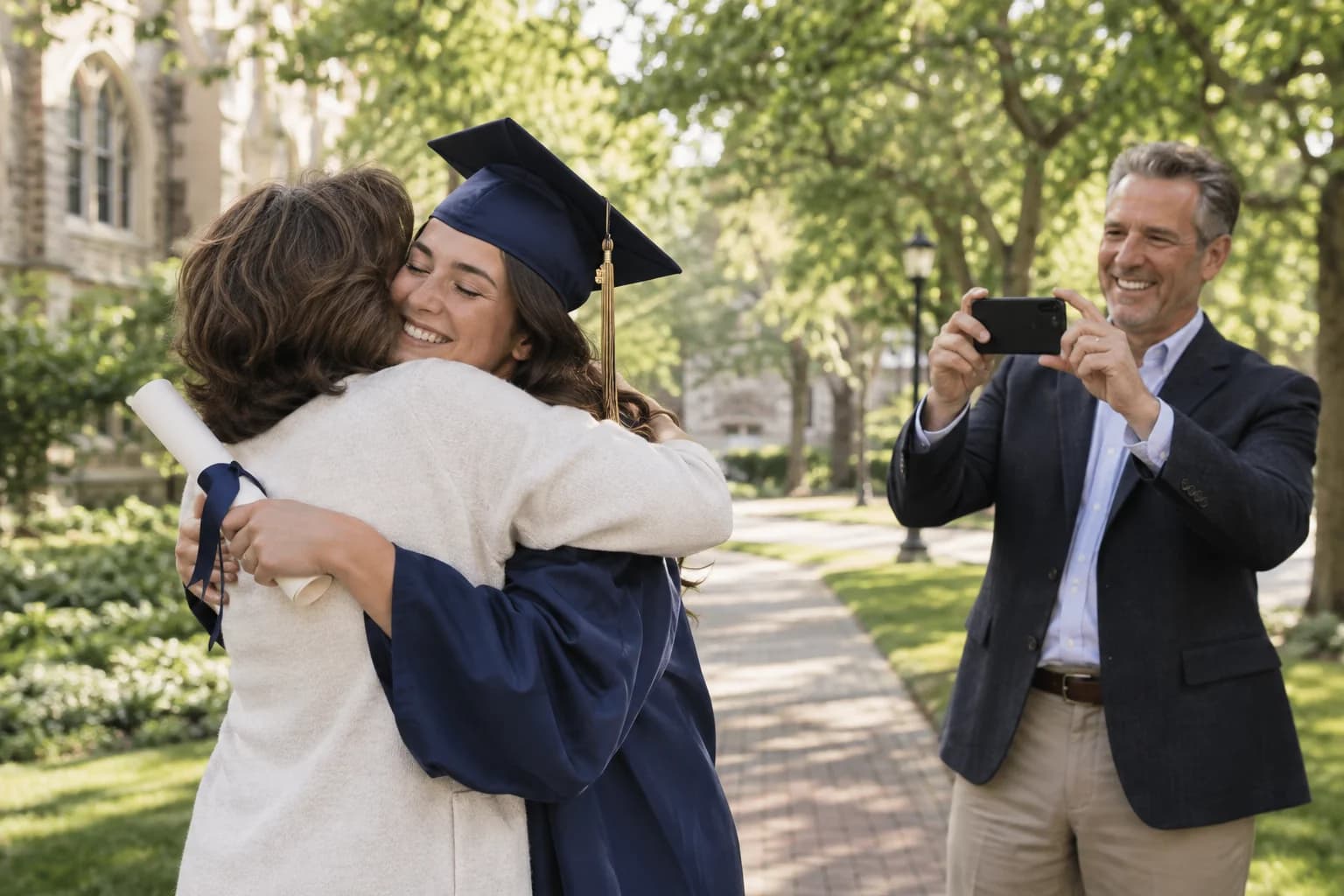
At every other event, the person being celebrated takes photos too. At a graduation they are in a gown, in a line, hands full, fifty metres away. Every photograph of the day belongs to somebody else — and nobody remembers to send them.
The hall decides who comes
The number of seats a graduate gets is set by the size of the venue, not the size of their family. Grandparents, the aunt who paid for the first year, the sibling with an exam that morning: they are not in the room, and often not in the country.
One day, two different guest lists
Morning: a handful of people with tickets. Afternoon: everyone. They are not the same list, they need different instructions, and sending ceremony details to people who were never getting a seat is its own small cruelty.
The photos scatter and stay scattered
Three group chats, a few AirDrops, a cousin who only posts to a story that expires. Compressed on the way, incomplete by the weekend, and gone by the time anyone wants a print for the wall.
What answers each of them
Every angle, pooled into one gallery
One QR code on the party invitation and on a card at the door. Whoever had the aisle seat has the shot of the handshake; whoever was in the balcony has the wide one. They land in the same gallery at full resolution, not squeezed through a group chat.
A private stream for the family without tickets
One private link, opened in any browser, with no app and no account for the person watching. Up to 90 minutes and up to 100 people watching at once. It is included with the Event Pass, alongside the photo gallery.
The ceremony and the party as separate parts
Add up to 40 parts to the day, each with its own time, place, dress code and RSVP. Give the ceremony the number of seats you actually have and mark it invite-only: it then does not appear on the invitation of anyone who is only coming to the party.
Congratulations from people who could not be there
A voice message up to 60 seconds or a video message up to 30 seconds, recorded from the same link. An old teacher, a grandparent in another time zone, a friend on a different continent — in their own voice rather than typed into a card.
Guest screens in English, Spanish, French, and Russian
The upload page, the guestbook and the gallery follow the guest's own language. For a first-in-the-family graduation, the relatives most likely to be handed a phone and told to figure it out are exactly the ones this is for.
The graduate leaves with the whole day
One archive, every photo and video at the resolution it was taken, downloaded whenever you like. The gallery stays hosted for 12 months, so the relative who finds their camera roll in August can still add to it.
About the stream, honestly
A private stream runs for up to 90 minutes and holds up to 100 viewers at once. Plenty of commencements run longer than that, so the usual approach is to start when your graduate’s faculty or section is called rather than at the processional — that is the part the people at home are actually waiting for.
A replay is not guaranteed and is not included in the pass. The stream is recorded when recording is available; the Stream Recording add-on unlocks it afterwards. If the walk has to be kept no matter what, have someone in the hall film it on their phone and upload the clip into the same gallery afterwards, where it sits beside every photo of the same moment. How the stream works.
How it works
Create the gallery before the ceremony
Name it for the graduate and set the date uploads should stay open until — usually well past the party, because most of the photos arrive after everyone gets home.
Split the day if it needs splitting
Add the ceremony with its real seat count and the party with its real list. Invite-only parts stay invisible to everyone not on them, so nobody reads about a room they were never getting into.
Share one code, and one link for those at home
The QR goes on the invitation, on a card at the party, and into the family chat. If you are streaming, the private viewer link goes to the people who could not get a seat.
Hand it over
Download the archive in original quality and give the graduate the gallery link. It is theirs to keep, and it is the only complete version of the day that exists.
One gallery, many families’ children
A school gallery is a different thing from a family one. Every photo in it may contain somebody else’s child, and the people who have to answer for that are staff. These are the controls that exist for exactly that reason.
Approve before anything is shown
Turn moderation on and uploads wait for a person. Nothing reaches a slideshow or the shared gallery until you have approved it.
Private, and not findable
Gallery and event pages are excluded from search engines in the site's robots rules, and the gallery itself is reachable only by code or link. You can add a passcode on top of that.
Take anything down, immediately
A parent who does not want their child in a shared gallery should not need a support ticket. Any photo can be hidden or deleted by the host, and the whole gallery can be deleted outright.
Every ceremony, bought in minutes
A school or department running several ceremonies buys a Three-Event Pass or one Event Pass per ceremony, with no sales call. Approval-first moderation keeps every photo private until someone on staff approves it.
Running graduations for whole cohorts? Buy several ceremonies at once with the Three-Event Pass, and read how Picsui handles your data.
Private by default
The gallery is reachable only by the code or the link, gallery and event pages are excluded from search engines in the site’s robots rules, and you can add a passcode. The photos are yours: download them whenever you like, remove any one of them, or delete the whole gallery. How Picsui handles your data.
Questions before the ceremony
Can family who could not get a ticket watch the ceremony?
Yes, with a private live stream. They open one link in a browser — no app, no account — and up to 100 people can watch at once. It runs for up to 90 minutes, which is shorter than many full commencements, so hosts usually start the stream shortly before their graduate's section is called rather than at the processional. The stream is included with the $39 Event Pass, alongside the photo gallery.
Is the ceremony recorded so we can watch it again?
Yes. The stream is recorded when recording is available and held privately. The replay is not included in the pass and is not guaranteed. Afterwards you can unlock the recording as the Stream Recording add-on: watch the full replay, download the MP4, and share a replay link with everyone who missed it live. It is a separate add-on rather than part of the pass, so a pass never promises a file that a dead phone could lose.
Does anyone need to install an app or make an account?
No. The QR code opens a web page in the phone's browser; a guest picks photos and taps upload. The same is true of the stream link. The only person who needs an account is the host who creates the event.
The ceremony and the party have different guest lists. Does that work?
Yes. A graduation day can be set up as separate parts — up to 40 of them — each with its own time, place, dress code, capacity and RSVP. Mark the ceremony invite-only and give it the number of seats the school gave you, and it will not appear on the invitation of anyone who was only ever coming to the party.
Can guests upload video, and how long can a clip be?
Both. A guest can record in the browser — up to 30 seconds of video, or up to 60 seconds of audio for a spoken message — or upload a clip they already filmed from their camera roll, up to 100 MB per video file. The walk across the stage fits comfortably in either.
How many photos can the family upload?
An Event Pass covers unlimited guest photos and videos for the event. What bounds it is storage rather than a photo count. Fair use: 25 GB of photos and video per event. A graduation with a large extended family and a party afterwards sits well inside that.
How long is the gallery kept, and can we still add to it later?
An Event Pass hosts the gallery for 12 months, and uploads stay open until the end date you set — which for a graduation is worth putting weeks after the party, because photos keep arriving. Download the full archive at any point in that period so a copy lives with the family and not only with us.
Is it safe to use for a school event, with other people's children in the photos?
It is built to be run carefully rather than automatically. Turn moderation on and nothing appears until the host approves it; the gallery is private, excluded from search engines, and can carry a passcode; and any photo can be hidden or deleted on request without contacting us. A school running several ceremonies can buy them together on the Three-Event Pass.
What does it cost?
An Event Pass is $39 once, for the photos, videos, voice messages, live slideshow, full-resolution download and the private live stream for the family who could not attend. Nothing renews and there is no subscription. You can create a free preview event first and test the whole guest experience on your own phone before paying.
Set it up before the caps go in the air
$39 once for the gallery, with the live stream included if the family at home needs to watch. Nothing renews. Test the whole guest experience on your own phone first — it is free and needs no card.