Parade to dance.
One code for the whole weekend.
This page is for the student council advisor, the booster club president and the parent who somehow runs the parade floats every year. Homecoming is not one event. It is the float build on Wednesday, the pep rally Friday afternoon, the parade, the game and the court at halftime, then the dance on Saturday, run by three different groups with three different photo habits. One QR code, with a sub-event for each part, gives the school one gallery for the weekend and one adult reviewing it.
One-time. No account needed to buy — about a minute.
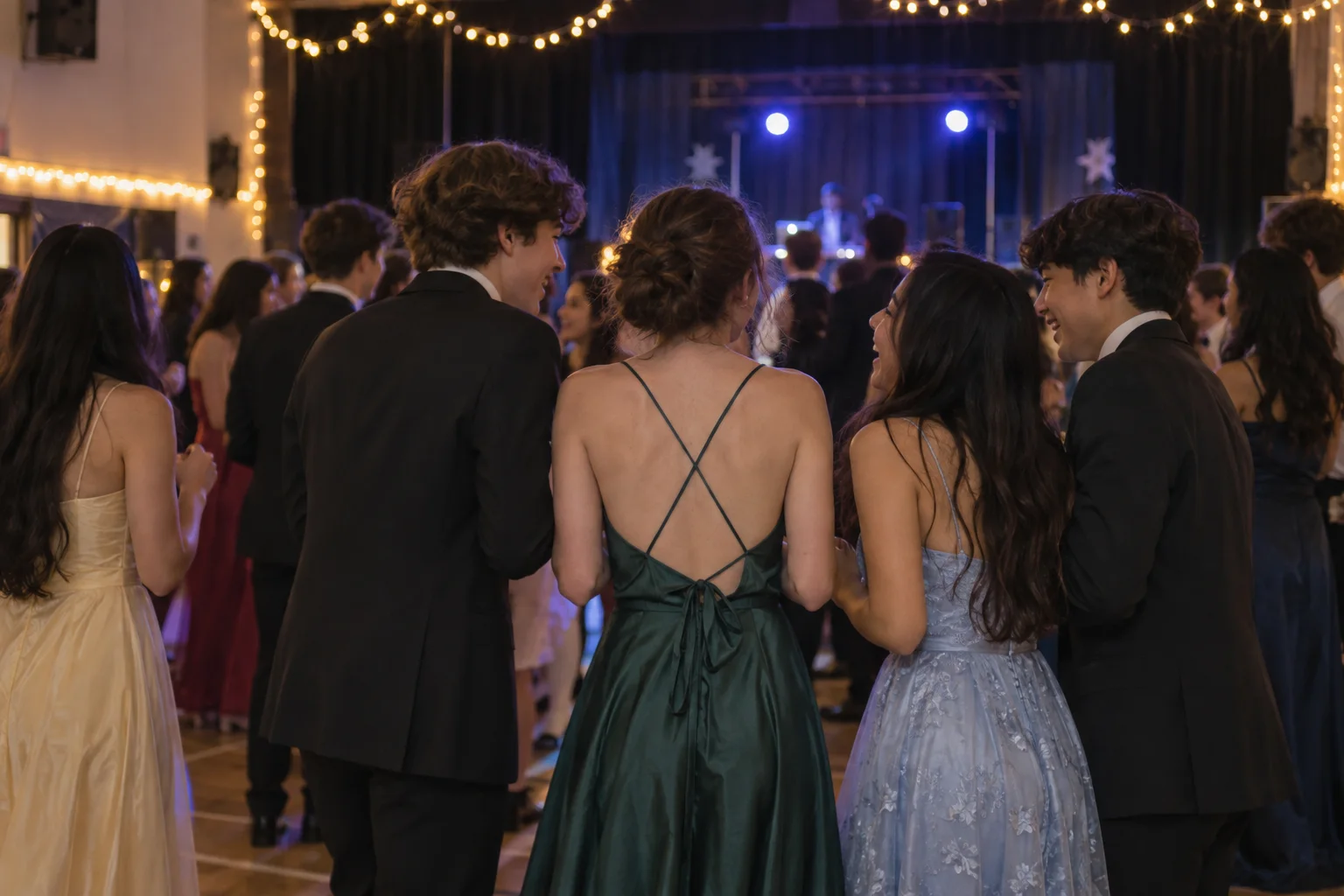
The moments guests actually photograph at homecoming weekends
Why homecoming weekends work better on Picsui
Written for the person hosting this one, and checked against what the product actually does.
Five events, one code, one gallery
Create homecoming as one event with a sub-event for the pep rally, the parade, the game and the dance. The same code goes on the spirit week posters and the dance tickets, every upload lands in one gallery, and the yearbook editor downloads the whole week as one archive.
One adult reviews it all
Between the students, the parents and the alumni at the tailgate, the weekend gets thousands of uploads and the students are minors. Host review lets the advisor or a booster parent approve from a phone in the stands, so the gallery is fit for the school's front office.
The dance playlist, requested by the students
Song requests come from the same page students upload to. The DJ sees the queue, the advisor sees it first if that matters, and the dance plays what the room asked for instead of what the DJ guessed a sixteen-year-old wants to hear this year.
No app. No account. One scan.
Guests point their camera at a QR code and are uploading in seconds. Nobody installs anything, nobody creates a login, and the grandparents can do it as easily as the teenagers.
Several days, one gallery
Multi-day celebrations get sub-events under one code: the rehearsal, the ceremony and the brunch each have their own time and RSVP, every photo lands in one shared gallery, and one link covers the lot.
You approve before anyone sees
Turn on host review and every upload waits in your queue until you approve it. It is optional, it works from your phone, and anything you never approve is never seen by anyone else.
Live photo wall on any screen
Open the slideshow on a TV, projector or laptop and new uploads appear as they arrive. Grid and collage layouts, transition presets, and a phone remote to control it from across the room.
Song requests for the DJ
Guests request tracks from the same page they upload photos to. The host or DJ sees the queue and plays what the room actually wants.
Full-resolution downloads
Download any photo, or the whole event as one archive, at original quality. What guests uploaded is what you keep — no compression, no watermark on paid events.
How it works
Set up in a minute. Collect for the whole event.
Create the weekend as one event with a sub-event for each part, and decide which adult holds the host login before spirit week starts.
Put the QR code on spirit week posters, the parade route signs, the game program and the dance tickets. Tell the announcer to mention it at halftime.
Students, parents, boosters and alumni upload all weekend. The host approves the queue from the stands, and the slideshow plays on the gym screen at the dance.
Download the archive for the yearbook and the boosters' newsletter, and send the gallery link out with the Monday announcements.
Try uploading as a guest.
Scan this with your phone the way a guest at your event would. Choose a sample photo and upload it from your browser, then open the demo gallery to see it land. In this public demo, photos appear at once and videos wait for a person to approve them; at your own event, you decide.
- Scan the code with your phone camera — it opens straight in the browser.
- Upload a sample photo. Look for the upload confirmation so you know it reached the host.
Use a sample you are comfortable sharing with Picsui. Please keep personal or sensitive photos out of the demo.
M2FDV8LW
This is the same kind of code your guests scan at your event.
Getting the most from homecoming weekends
Decide who hosts before the three groups start separately. The student council, the boosters and the parent parade committee will each set up something if nobody claims it, and the school ends up with three half-galleries. The cleanest answer is the school as host, one staff advisor with the login, and each group given the same code for its part of the weekend. The boosters put it on the tailgate signs, the parade committee on the float rules sheet, the council on the dance tickets. Review then sits with one adult, and the archive belongs to the school, which is where the yearbook and the district expect it to be.
The halftime court is the most photographed minute of the weekend and the hardest to see from the stands. Ask the announcer to name the code as the court walks out, and the band parents on the track and the parents at the fence, who have the good angles, will upload what the stands could not see. Do the same at the pep rally. For the parade, put the code on the route signs at the start and the finish, since the parents lining the route are the ones with the float photos, not the students riding on the floats.
Plan the dance around what the gallery already has. By Saturday night there are two days of approved photos, so put the slideshow on the gym screen when the doors open and the pep rally and the game play behind the dance floor. Turn on song requests so the DJ's queue comes from the students, and keep host review on for the dance, where the uploads change character. Close the weekend to new uploads on Sunday, download the archive for the yearbook, and send the link with the Monday announcements so students and families see it while it is still the weekend they remember.
Common questions about homecoming weekends
Can one QR code cover the whole homecoming weekend?
Yes. Create homecoming as one event and add a sub-event for each part: the pep rally, the parade, the game and the dance, plus the float build if you want it. The single code on the posters, the program and the dance tickets works for every part of the week, every upload goes into the same place, and the school has one gallery and one archive. If the boosters want the alumni tailgate to be their own gallery with their own review, that can be a separate event with its own pass; most schools keep it under the same code.
The students are minors. Who reviews the photos and who can see them?
Turn on host review and a staff advisor or a booster parent approves every upload before it is visible. Two or three adults can share the login to split the weekend. The gallery is private by default, reachable only by the link or code the school shares, never listed publicly, and blocked from search engines and named AI crawlers on the guest pages. Families can ask for a photo to be removed, and the school can close the gallery whenever it chooses.
Can alumni at the tailgate upload too?
Yes. The code on the tailgate signs works for anyone who scans it, alumni included, with no app and no account. Their uploads go through the same host review as everyone else's, so the advisor decides what appears. If the boosters run a separate alumni event with its own guest list and RSVPs, that can be its own event; for most schools the tailgate is simply one more sub-event under the weekend's code, and the alumni get the same gallery link as the families on Monday.
Can the dance have a photo wall and song requests?
Both come with the event, and the host chooses which to switch on. The slideshow runs on any screen in the gym or the cafeteria, playing approved photos from the whole weekend with a phone remote for the advisor, and new uploads from the dance floor appear as they are approved. Song requests come from the same guest page students upload to, and the DJ watches the queue. Neither needs equipment beyond a laptop or a phone plugged into the screen the school already owns.
What does the weekend cost the school?
An Event Pass is $39 one time, and it covers the whole weekend with every sub-event under one code. It includes unlimited uploads with a 25 GB fair-use bound, optional host review, the slideshow, song requests, full-resolution downloads and 365 days of hosting. There is no subscription and no per-student fee, so the boosters or the student council fund it once from the activities budget, and nothing recurs the following year.
Every photo from homecoming weekends, in one place
One-time Event Pass, $39. No subscription, no per-guest fee.
Also planning one of these?
Explore other use cases
One QR code, every kind of event. See how Picsui fits yours.
More occasions