Three stages, one photographer.
Now the crowd shoots too.
You organize a regional festival or a community concert series, which means you also book the sound, argue with the county about the toilet count and learn at nine in the morning that the second stage has no shade. A photographer, if you have one, is at the main stage. The crowd, the vendor row, the kids' tent and the last set on the small stage are being photographed by everyone else. One QR code on the gate, the wristband and the stage banner brings those photos into a gallery your festival owns and reviews.
One-time. No account needed to buy — about a minute.
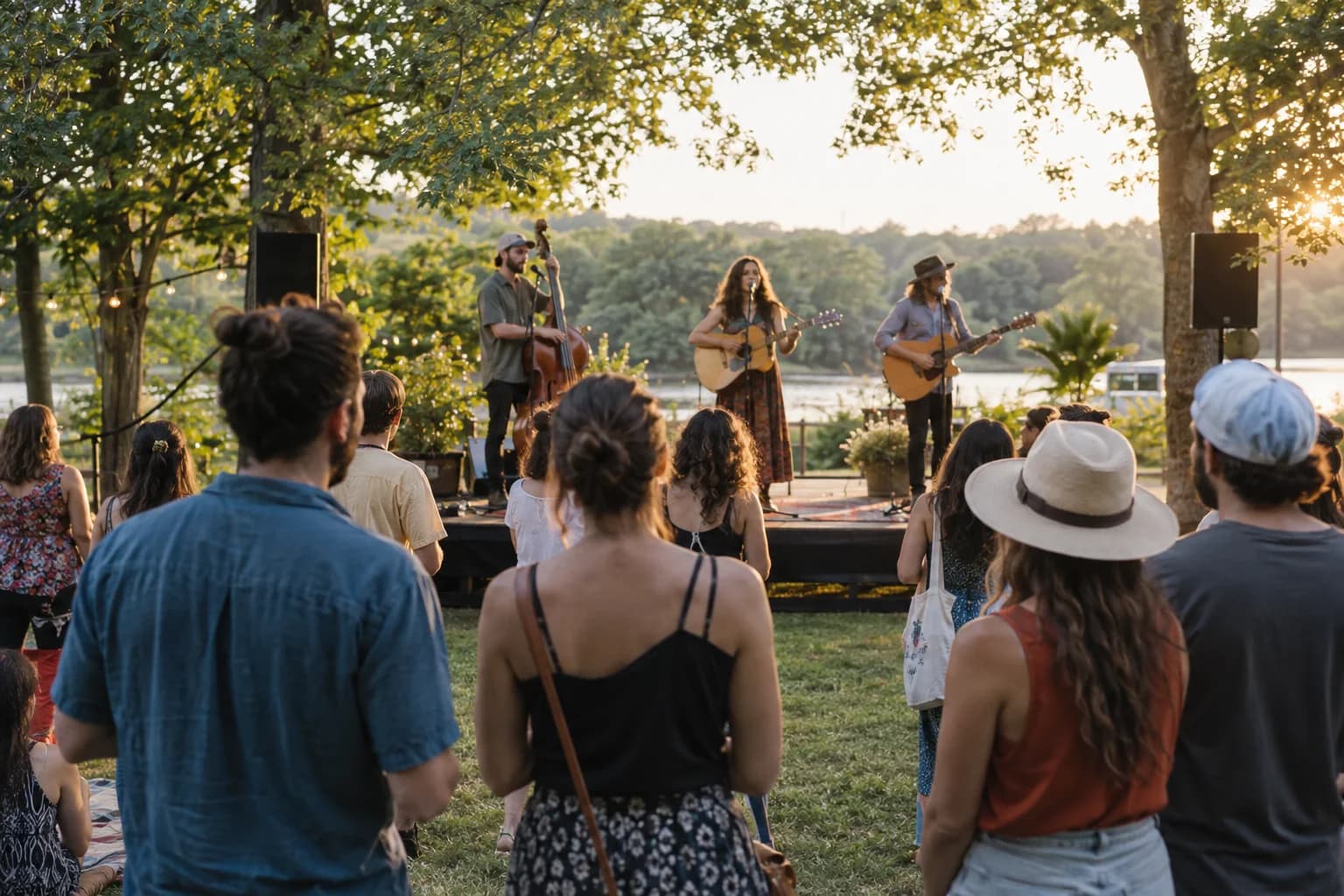
The moments guests actually photograph at music festivals
Why music festivals work better on Picsui
Written for the person hosting this one, and checked against what the product actually does.
Review before it goes anywhere
A festival gallery collects everything a crowd does after dusk. Host review means every upload waits for you or a volunteer before it is visible, and anything you never approve is never seen. Your sponsors see a gallery you have already checked, and nobody's Monday starts with an apology.
Every stage, every hour, full resolution
Uploads are unlimited per event with a 25 GB fair-use bound, which is room for a weekend of crowd shots and phone video from three stages. Originals are kept at full size, so the photo you pick for next year's poster is the real file, not a compressed copy pulled out of a group chat.
A scavenger hunt that walks the grounds
A photo scavenger hunt sends attendees to the vendor row, the mural, the small stage and the sponsor tent, and every entry lands in the gallery. It is the honest way to get the corners of a festival documented and a reason for people to visit the booths that paid to be there.
No app. No account. One scan.
Guests point their camera at a QR code and are uploading in seconds. Nobody installs anything, nobody creates a login, and the grandparents can do it as easily as the teenagers.
unlimited photo and video uploads
Every guest can send as much as they like: phone photos, iPhone HEICs, short videos, up to a fair-use bound of 25 GB per event. Originals are kept at full resolution.
You approve before anyone sees
Turn on host review and every upload waits in your queue until you approve it. It is optional, it works from your phone, and anything you never approve is never seen by anyone else.
Games that get phones out for the right reason
Photo challenges, caption contests, guess-who rounds and table battles run from the guest page, and every game entry lands in the gallery as another photo.
Live photo wall on any screen
Open the slideshow on a TV, projector or laptop and new uploads appear as they arrive. Grid and collage layouts, transition presets, and a phone remote to control it from across the room.
Full-resolution downloads
Download any photo, or the whole event as one archive, at original quality. What guests uploaded is what you keep — no compression, no watermark on paid events.
How it works
Set up in a minute. Collect for the whole event.
Create the festival as one event, add each day as a sub-event, and turn on host review before the gates open.
Print the QR code on the wristband, the gate banner, the stage scrim and the vendor tent cards, and give the MC one line to read between sets.
Attendees scan and upload from the crowd all weekend. Volunteers review in batches at set changes and the cleared photos run on the side-stage screen.
After load-out, download the originals for sponsors and next year's promotion, and send attendees the gallery link with the thank-you email.
Try uploading as a guest.
Scan this with your phone the way a guest at your event would. Choose a sample photo and upload it from your browser, then open the demo gallery to see it land. In this public demo, photos appear at once and videos wait for a person to approve them; at your own event, you decide.
- Scan the code with your phone camera — it opens straight in the browser.
- Upload a sample photo. Look for the upload confirmation so you know it reached the host.
Use a sample you are comfortable sharing with Picsui. Please keep personal or sensitive photos out of the demo.
M2FDV8LW
This is the same kind of code your guests scan at your event.
Getting the most from music festivals
Put the code where people are already standing still. The gate line, the bar line and the merch tent are where a festival crowd has a phone out and nothing to do, so a banner at each of those three beats a hundred flyers. Print it on the wristband if your run is big enough to justify it, and on the stage scrim so it is in the background of every crowd photo. Then have the MC read one sentence between the first two sets on each stage. Announcements from the stage produce a spike of uploads within minutes; signage alone produces a trickle.
Decide now what you are allowed to do with the photos, because next year's poster is the whole reason to collect them. Post a plain sign at the gate saying photos taken at the festival may be shared in the festival gallery and used to promote future events, and repeat it on the ticket page. That covers crowd shots. For anything featuring one identifiable person, ask them before it goes on a billboard or a paid ad; a message through the gallery is usually enough. Host review means you choose what represents the festival, and the full-resolution originals mean the chosen photo is actually usable.
Give one volunteer per stage a review shift rather than leaving the queue to whoever is free. Set changes are the natural rhythm: fifteen minutes of nothing on stage is fifteen minutes of approving the last set's uploads, and it means the side-stage slideshow is never more than one set behind. Field sites have poor signal, so tell attendees from the stage that the page works from home too. The uploads from the drive back and the next morning are often the best of the weekend, because people finally look at what they shot.
Common questions about music festivals
Can attendees request songs from the festival page?
Song requests exist as a feature, and they work well at a block party or a wedding where somebody is choosing tracks live. At a festival the lineup and the setlists are the bands' to decide, so leave the request queue turned off rather than collecting requests nobody can honor. Use the guestbook question instead: ask attendees which set they will still be talking about next year, or what the festival should book next, and you get a readable survey with the photos attached.
Can we use attendee photos for sponsors and next year's marketing?
You can download every approved photo at full resolution, individually or as one archive, and what you do with them is between you, your attendees and your sponsors. Say clearly at the gate and on the ticket page that photos may be used to promote the festival, and get direct permission from anyone who is the clear subject of an image before it becomes an advertisement. Host review is your editorial control: only what you approve is ever in the gallery, so the set you hand to a sponsor is the set you chose.
Cell service at our site is terrible. Will uploads still work?
The upload page is a normal web page, so it needs a connection to send photos, and it will not push anything through a dead spot. What it does not need is any particular moment. Attendees who scan the code once can open the same page from the parking lot, the hotel or their couch the next day and upload what they took, and the gallery accepts uploads for the whole hosting window. If your site has wifi at the info tent or the vendor row, put a code there and say so from the stage.
Who can see the festival gallery?
Only people with the link or the code. The gallery is private by default, it is never listed publicly, and guest pages are blocked from search engines and named AI crawlers. With host review on, an upload is invisible to everyone but you until you approve it. You choose when to send the gallery link, which for most festivals is the thank-you email a day or two after load-out, once the queue is cleared. You can close the gallery to new uploads at any time and it stays online for 365 days on an Event Pass.
How much does it cost for a two-day festival?
One Event Pass at $39 covers the festival as a single event, and both days sit under the same code as sub-events, so there is no second purchase for the second day. That includes unlimited attendee uploads with a fair-use bound of 25 GB, optional host review, the live slideshow, full-resolution downloads and 365 days of hosting. There is no per-attendee fee, which is the difference between a tool a small festival can afford and one it cannot.
Every photo from music festivals, in one place
One-time Event Pass, $39. No subscription, no per-guest fee.
Explore other use cases
One QR code, every kind of event. See how Picsui fits yours.
More occasions