Tisch, chuppah, hora.
Every phone, one gallery.
You are the couple, and probably one set of parents, hosting a day with more distinct parts than most weddings: the tisch and the kabbalat panim running at the same time in different rooms, the bedeken, the ketubah signing, the chuppah, then a hora that goes on longer than the band was told. The photographer cannot be in two rooms at once, and at a Saturday night wedding cannot start until after havdalah. The guests cover the rest.
One-time. No account needed to buy — about a minute.
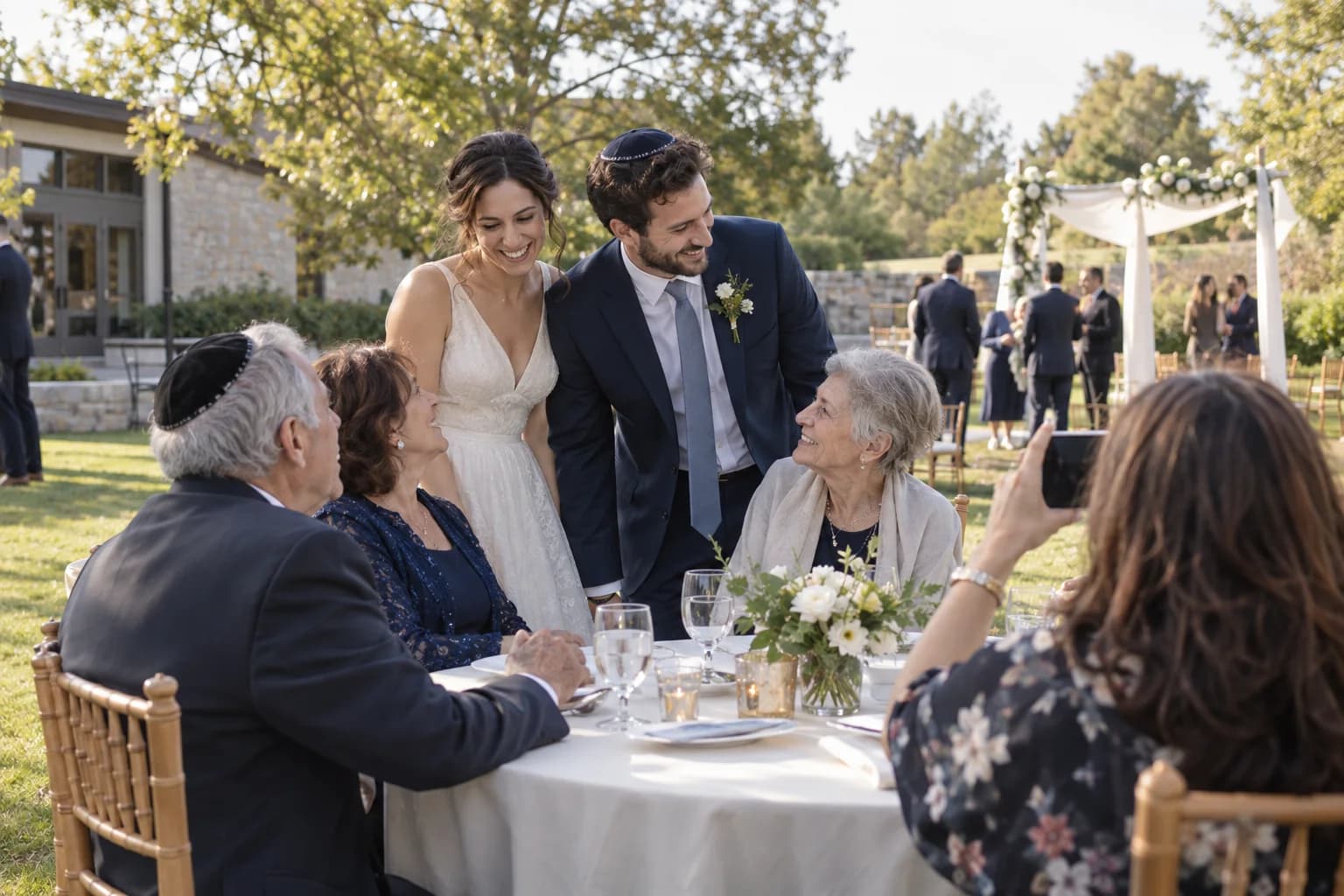
The moments guests actually photograph at Jewish weddings
Why Jewish weddings work better on Picsui
Written for the person hosting this one, and checked against what the product actually does.
Host review when the dancing is separated
Where dancing is separated, the photographer is on one side and half the celebration is on the other. Guests on each side upload what they see, and host review lets a parent approve what goes into the shared gallery, so the family decides what is shared beyond the room and what stays with the people who were in it.
Photos that start after havdalah
For a Shabbat-observant crowd nobody photographs until after havdalah, which at a Saturday night wedding leaves the photographer a compressed evening and no portraits before the chuppah. Guests' phones, once out, fill the gap: the dancing, the shtick, the tables, and the moments the photographer skipped to keep to the schedule.
A guestbook that asks for a blessing
Replace the default prompt with a question that fits: a blessing for the couple, a memory of one of them, advice for their new home together. Written messages sit with the photos, and the relatives who would never write in a book will happily record a voice message from the same page during dinner.
No app. No account. One scan.
Guests point their camera at a QR code and are uploading in seconds. Nobody installs anything, nobody creates a login, and the grandparents can do it as easily as the teenagers.
You approve before anyone sees
Turn on host review and every upload waits in your queue until you approve it. It is optional, it works from your phone, and anything you never approve is never seen by anyone else.
unlimited photo and video uploads
Every guest can send as much as they like: phone photos, iPhone HEICs, short videos, up to a fair-use bound of 25 GB per event. Originals are kept at full resolution.
A guestbook with your own question
Replace the generic prompt with one that fits the day. Written messages are collected alongside the photos and kept with the gallery.
Voice messages
Guests record up to 60 seconds of audio right from the upload page: a blessing, a toast, a story. It is saved next to the photos in the same gallery.
Full-resolution downloads
Download any photo, or the whole event as one archive, at original quality. What guests uploaded is what you keep — no compression, no watermark on paid events.
How it works
Set up in a minute. Collect for the whole event.
Create the wedding and turn on host review before you print anything. Add the QR code to the table cards and, if you are printing benchers, to the back page.
For a weekday wedding, share the link in the invitation email. For a Saturday night one, have the band leader or the MC mention it once the dancing starts.
Guests upload through the hora and dinner. Review the queue during the meal, and play the approved photos on a screen for the second dance set.
Download the archive and send the gallery to both sets of parents and the couple, who saw very little of the dancing from inside the circle.
Try uploading as a guest.
Scan this with your phone the way a guest at your event would. Choose a sample photo and upload it from your browser, then open the demo gallery to see it land. In this public demo, photos appear at once and videos wait for a person to approve them; at your own event, you decide.
- Scan the code with your phone camera — it opens straight in the browser.
- Upload a sample photo. Look for the upload confirmation so you know it reached the host.
Use a sample you are comfortable sharing with Picsui. Please keep personal or sensitive photos out of the demo.
M2FDV8LW
This is the same kind of code your guests scan at your event.
Getting the most from Jewish weddings
Ask one person on each side of the room to be the designated phone. At a wedding with separate dancing, or with the tisch and the kabbalat panim in different rooms, the photographer and videographer are already stretched, and the best shots of the women's circle or the men's shtick come from a guest who is standing still with a phone up. Tell those two people in advance and give them the link before the night, so they do not have to find a card in the dark. Everything they upload goes through host review, so a parent decides what belongs in the gallery everyone sees and what stays within the family.
At a Saturday night wedding, expect the gallery to fill late and fast. Nobody is uploading before havdalah, and the chuppah usually follows soon after, so the first flood of photos arrives during the first dance set. Plan for that: have host review switched on from the start so you are not approving a hundred uploads at once during dinner, and hand the reviewing to a sibling or the planner rather than a parent who should be dancing. Save the slideshow for the second dance set, or for the sheva brachot the following week, when the gallery already has the hora and the chair lift in it.
Keep uploads open through the week of sheva brachot. Each night is hosted by different friends or family in a different home, and the photos from those dinners are the ones the couple ends up with fewest of. Add each night to the schedule as a sub-event if you want the hosts and times listed, or simply leave the code on the table. Then close the gallery, download the archive, and send the link to both sets of parents, who often have fewer photos of the wedding than any guest because they were being pulled in a dozen directions from the tisch onward.
Common questions about Jewish weddings
Our wedding is on Saturday night. Does that change anything?
Only the timing. Guests who keep Shabbat will not have phones out until after havdalah, and neither will the photographer, so nothing is uploaded before the chuppah and a great deal is uploaded after it. Share the link at the reception rather than during the day: a mention from the band leader when the dancing starts, and the code on the tables, is enough. Because the photographer's evening is compressed, the guests' photos of the hora, the shtick and the tables are a larger share of the record than at a Sunday wedding, and host review from the start keeps the queue manageable.
We have separate dancing. Can we control which photos are shared?
Yes. Turn on host review and every upload waits for approval before any other guest can see it. A parent or a sibling can approve in batches from a phone. That lets you keep photos of the women's dancing within the family and share the rest of the evening more widely, or hold everything until the couple has seen it. The gallery is private by default, reachable only by the link or code you share, and blocked from search engines and AI crawlers, so nothing approved is ever public either.
Can guests leave a blessing instead of just photos?
They can write one in the guestbook, which you can set to ask your own question, or record one: a voice message up to 60 seconds or a video message up to 30 seconds, straight from the upload page with nothing to install. The grandparents who would never write in a book will speak into a phone if a grandchild holds it, and dinner is the moment to ask, when they are seated and the band is between sets. Every message is saved in the gallery next to the photos, and the couple reads them for the first time after the honeymoon.
How much does it cost, and does it cover sheva brachot too?
An Event Pass is $39 one time, and it includes unlimited uploads, host review, full-resolution downloads and 365 days of hosting. Sub-events are included, so each night of sheva brachot can sit under the same event and the same code without paying again. There is no subscription and no per-guest charge, so a simcha with four hundred guests costs the same as one with forty. If family abroad want to watch the chuppah live, Live Stream is included, with a private link.
Is the gallery private? Some of our guests do not want photos of themselves online.
The gallery is private by default. It is reachable only by the link or code you hand out, it is never listed anywhere, and guest pages are blocked from search engines and AI crawlers, so nothing in it can be found by searching. For a community where photos are shared carefully, host review adds a second layer: nothing is visible to other guests until a member of the family has approved it, and you can hold back anything a guest asks you to. When the celebrations are over you can close the gallery to new uploads and keep it for the family only.
Every photo from Jewish weddings, in one place
One-time Event Pass, $39. No subscription, no per-guest fee.
Also planning one of these?
Explore other use cases
One QR code, every kind of event. See how Picsui fits yours.
More occasions